Agentic AI Automation
Create orders, build dashboards and follow up with suppliers through Claude, ChatGPT or Gemini.
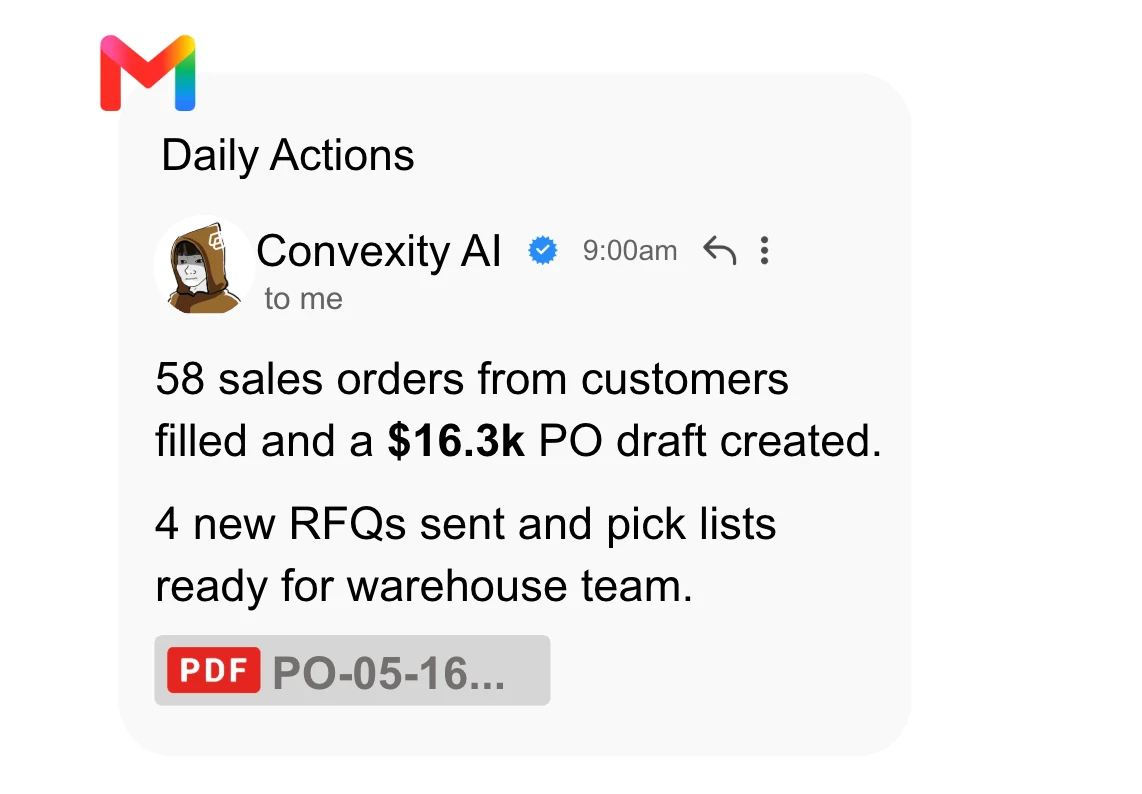
Connect Claude, ChatGPT or Gemini to Convexity to investigate inventory, create items and orders, build reports and prepare purchasing actions using your business data.
Connect your AI assistant to Convexity
Give your assistant access to the records it needs to complete a task: items, stock, sales orders and purchases. Ask it to investigate a shortage, create an order or build a report using your business data.
Convexity’s MCP connection lets Claude, ChatGPT and Gemini read business records and use product actions. It supplies business context and rules; your permissions determine what the assistant can read or change.
Create a sales order from a photo
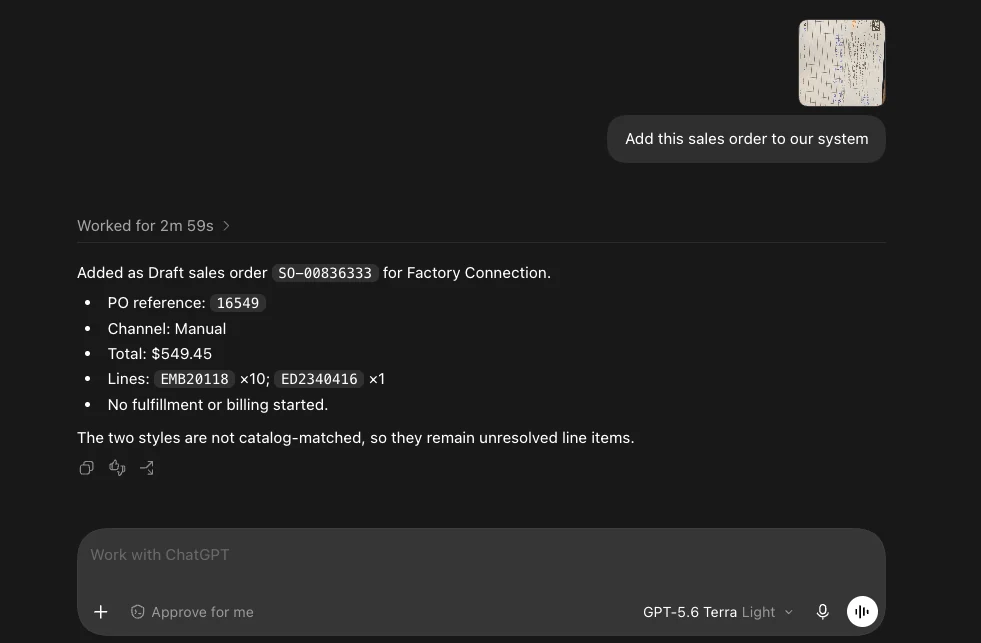
Upload a picture of an order and ask ChatGPT to add it to Convexity. The assistant reads the order details and creates a sales-order record through the connected product tools. In this example, it creates a draft and flags two unmatched items for review; fulfillment and billing have not started.
Receive orders from Gmail and connected sales channels
When a customer emails an order to your connected Gmail account, the agent can use the message and attachments to create the sales order in Convexity. Orders can also arrive automatically through connected sales channels, so your team does not have to upload each order by hand.
Channel synchronization brings orders into the system; the agent can help handle the work around them. Configure which messages or channel events trigger a workflow, what the agent may create and which exceptions need a person. Customer, SKU, quantity and pricing checks still matter regardless of how the order arrives.
Build an inventory dashboard by asking a question
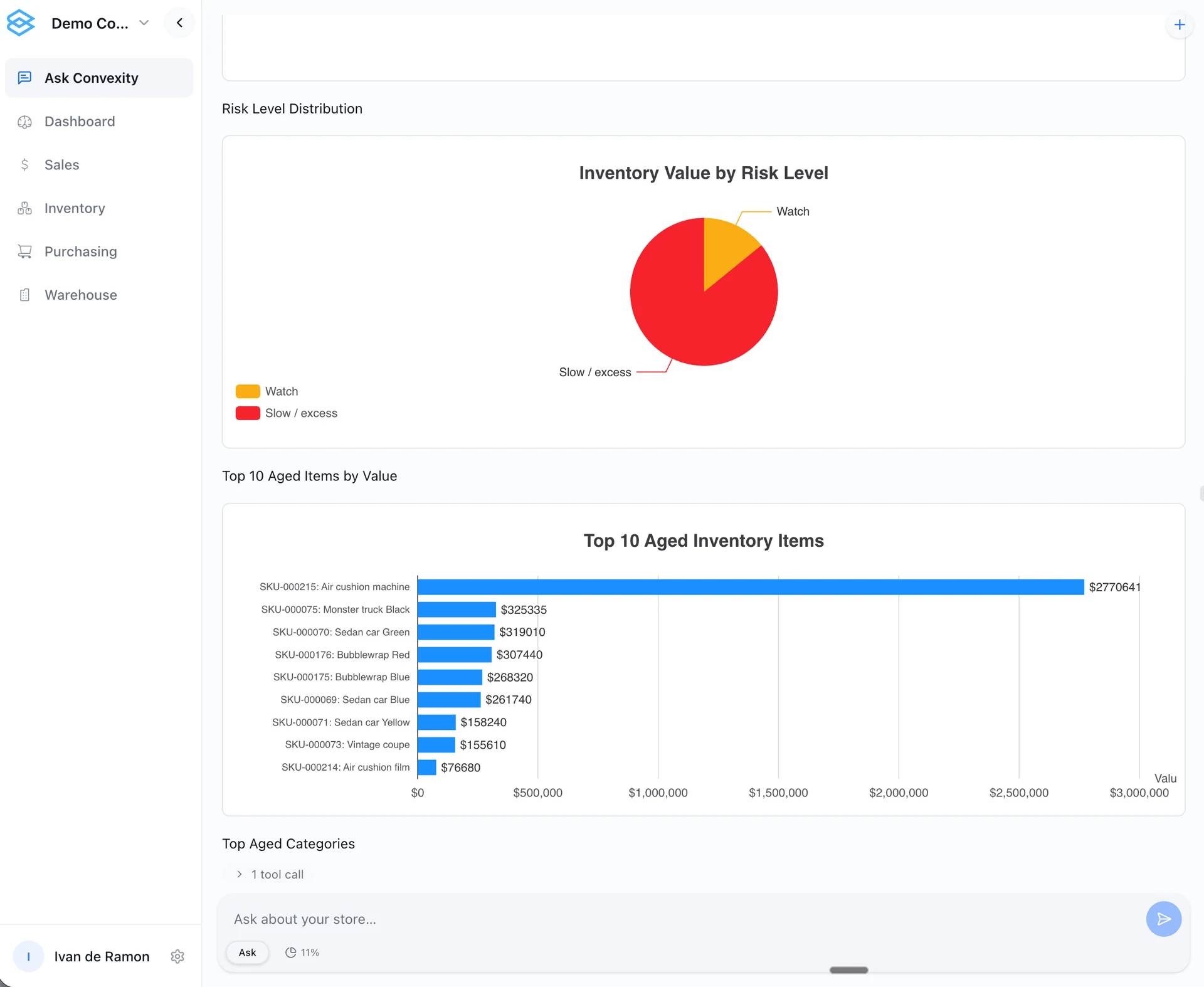
Ask the agent to build a dashboard from your business data—for example, “Show inventory value by risk level and the aged items tying up the most cash.” It can turn that question into charts and item-level analysis, helping your team see where to investigate next.
This example is shown in Ask Convexity: inventory value grouped by risk level alongside the highest-value aged items. Use follow-up questions to explore the products behind the charts and decide which stock or purchasing actions need attention.
Turn a demand forecast into a purchasing action
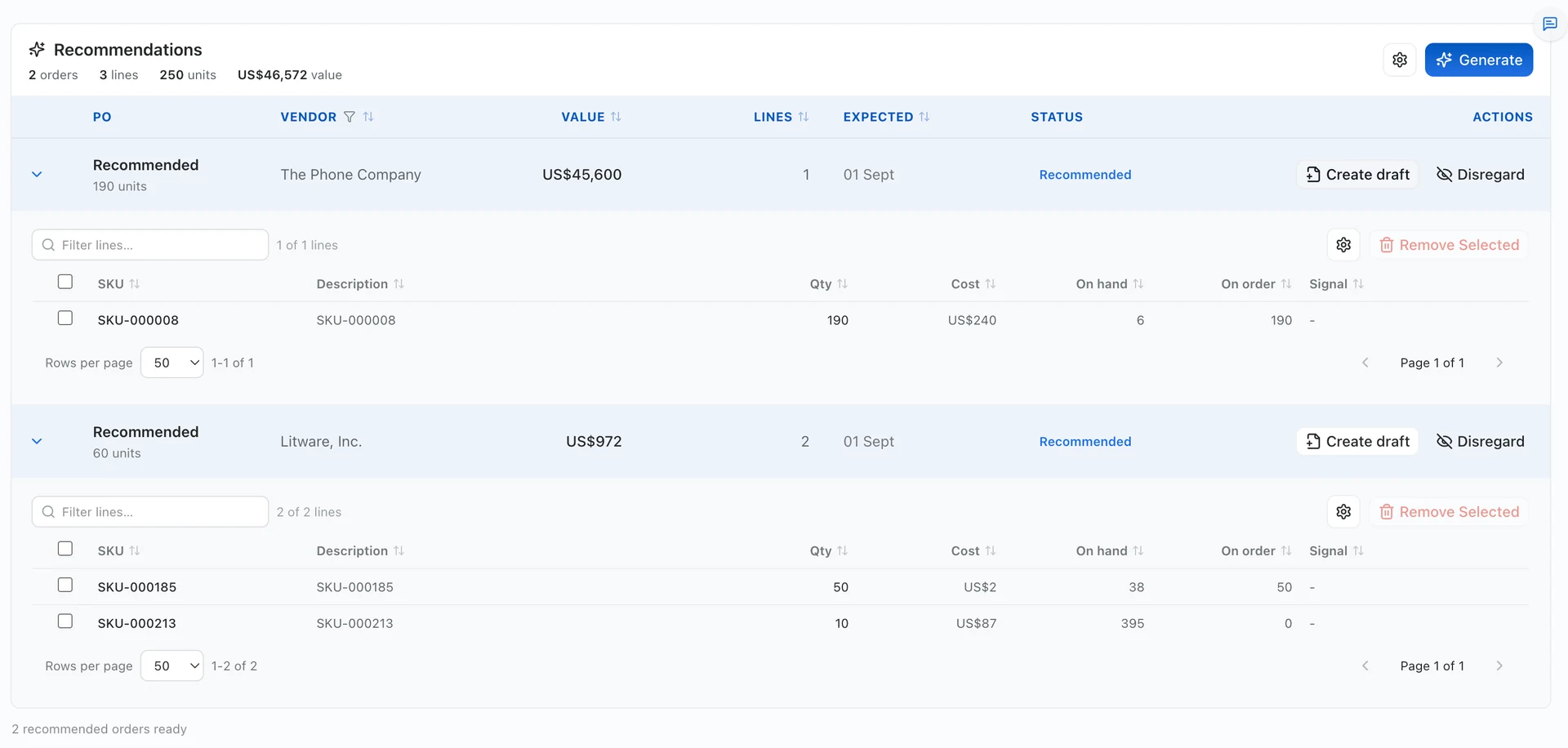
Ask which items could run short before the next delivery. The agent can use forecasts, available stock, incoming purchases and supplier lead times to prepare a purchase order for review.
Ask what needs attention
For example: “Which items could run short before the next supplier delivery?” The assistant uses accessible inventory and purchasing records to help investigate the question.
Review the proposed buy
Compare suggested quantities with available stock, incoming orders and supplier constraints. Ask the agent to explain a recommendation or adjust the draft with your instructions.
Create the record
Ask the agent to create a purchase-order draft using the enabled tools. Review the resulting record before approving an order or allowing an external action.
Send RFQs and follow up with suppliers
Ask the assistant to prepare and send a request for quotes using selected items and quantities, email a purchase order or follow up about a supplier’s delivery date. With an authorized email connection, the agent can send the message according to your approval rules while using Convexity’s purchasing records for context.
Email sending needs a separate authorized connection. Review the recipient and message before sending, or set approval rules for a recurring workflow.
Add products from your catalog
Provide your catalog and ask the agent to create item records. Review SKUs, units and required fields before using the new items in orders. Missing or ambiguous details need review.
Start with one repeatable task, then expand
Choose a recurring task such as investigating shortages, preparing supplier orders or building a weekly stock report. Agree the records the agent can access, which changes it may make and where a person approves the result. Expand automation as those workflows are validated.
A recommendation, a draft and a sent order are different actions. Your automation should make that distinction clear and give your team control over consequential changes.
Bring one inventory question or repetitive purchasing task. We will show how it works through your preferred AI assistant and identify the connections and approvals it needs.
Book a demoFrequently asked questions
Can I use Convexity with Claude, ChatGPT and Gemini?
Yes. Convexity provides an MCP connection for these assistants to access business context and enabled product tools. Setup, provider-account requirements and available actions depend on the connection and permissions configured for your team.
Can the AI create records rather than only answer questions?
Yes. Enabled actions can create items, sales orders and purchase-order drafts, as well as support reporting and inventory analysis. The assistant is limited to the tools and permissions made available to it.
Can the agent send RFQs or emails to suppliers?
Yes, through an authorized email connection and an enabled sending action. It can use Convexity’s purchasing records to prepare RFQs, send purchase orders or follow up with suppliers. Set the recipients and approval rules for the workflow before enabling sending.
Will the agent make purchases without approval?
Draft creation does not automatically approve or send a purchase order. Decide which actions may run automatically and which require a person to review them, then validate those rules for the configured workflow.
Start with your workflow
Bring one inventory, purchasing or order-management problem. We will map the required data, demonstrate the relevant workflow and identify what needs configuration or further validation.
Book a demo