Sales Order Automation
Bring wholesale and online orders into one workspace, with less repetitive entry.
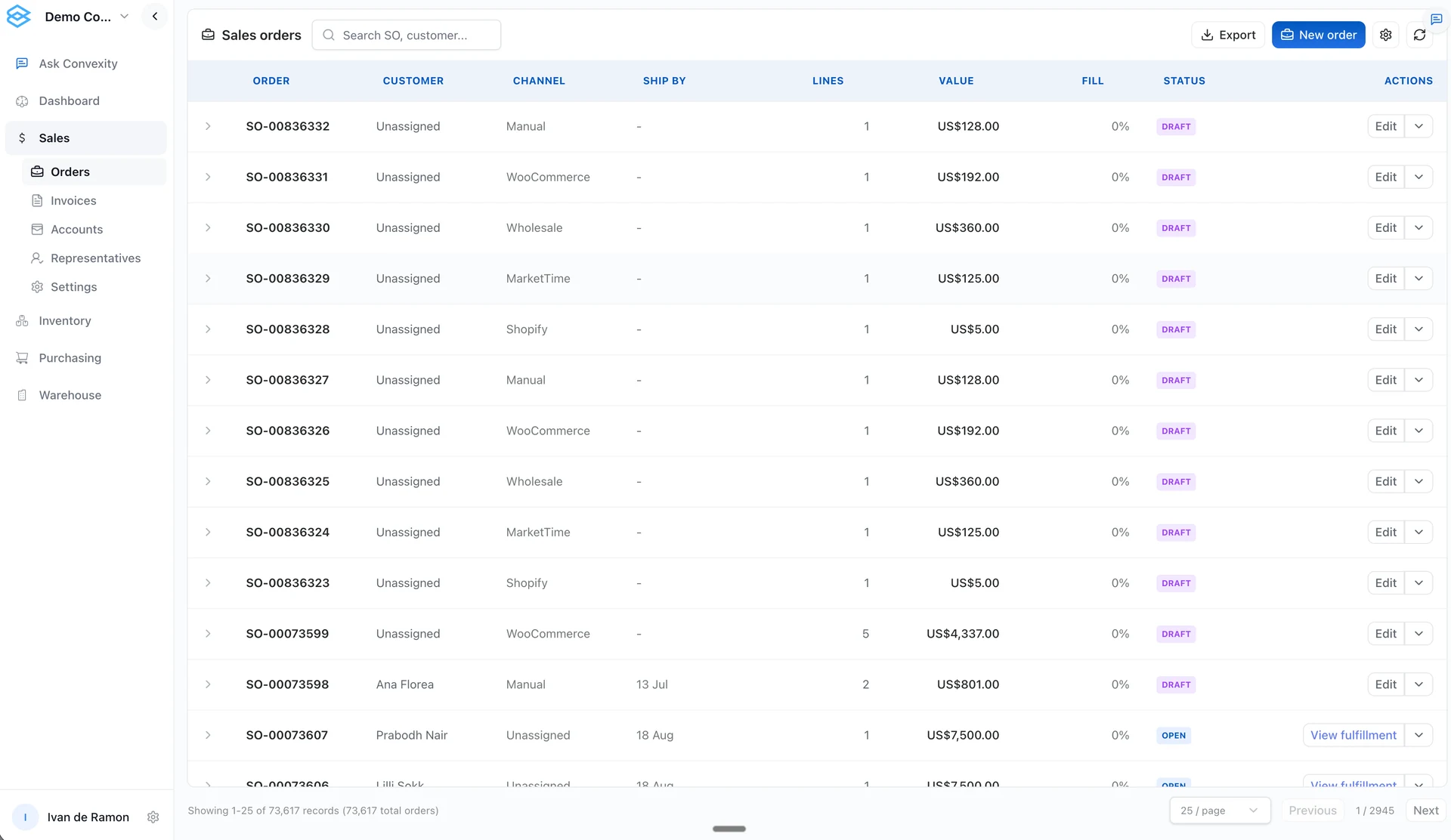
Manage sales orders for your distribution business with customer details, SKU pricing and inventory context in Convexity. Keep sales orders, stock checks and fulfillment status together.
An order should not need to be typed into every system
Wholesale orders arrive by email or through a rep. Online orders come through your storefront and marketplaces. Convexity brings imported orders and manual wholesale entry into one workspace, so your team can work with customer details, products, quantities and prices together instead of rebuilding the order for each handoff.
Create sales orders with customer details, line items, quantities, and SKU-based pricing.
See connected-channel and wholesale orders in the same order list.
Reuse the line items from a previous sales order for a repeat customer.
Check fulfillment and billing status from the order record.
From order details to a warehouse handoff
Bring the order together
Import orders from supported sources or enter a wholesale order. Select the customer and delivery address, then add the items and quantities with the appropriate pricing.
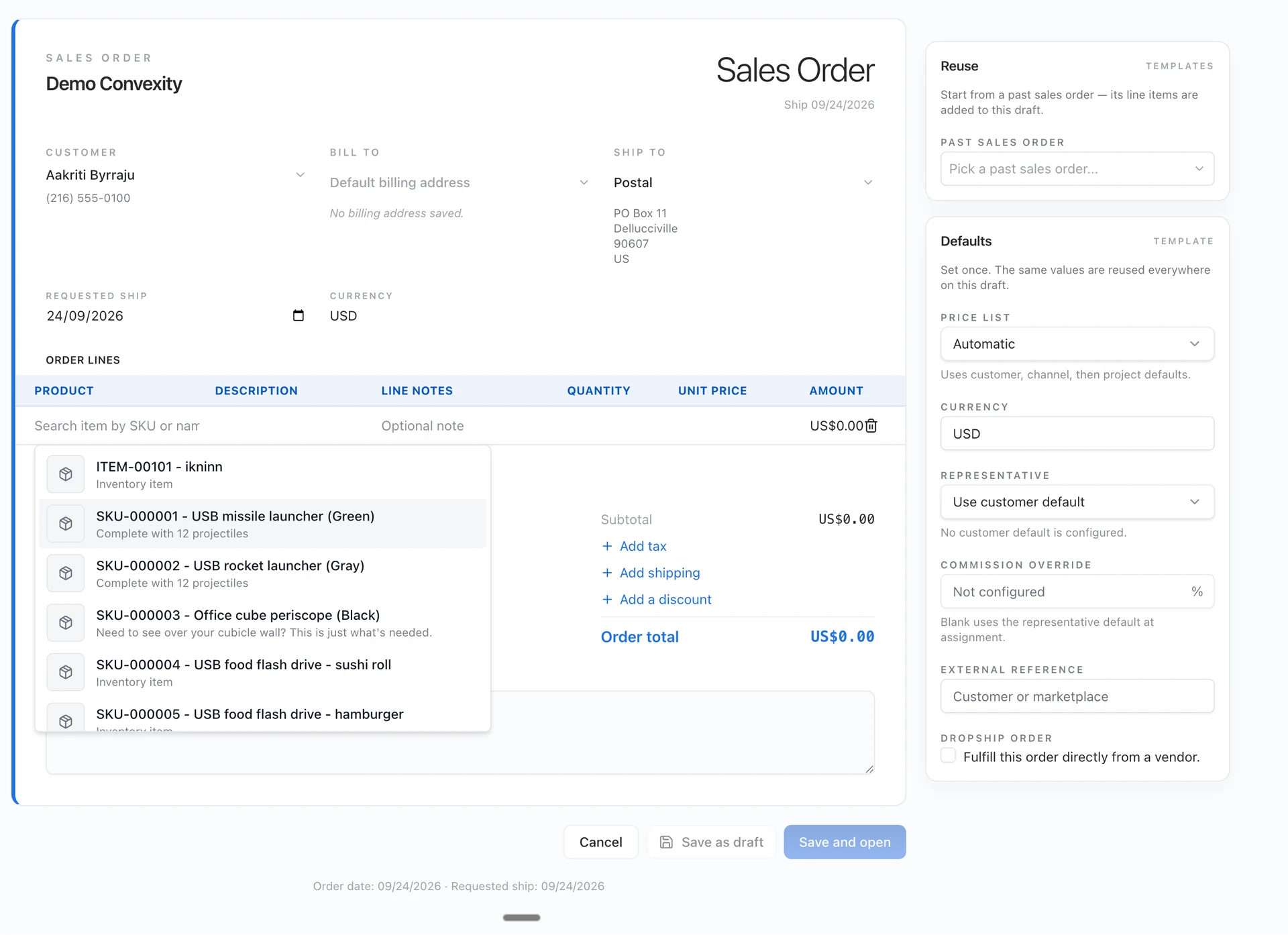
Check what you can fulfill
Review stock availability and existing commitments. Keep wholesale and retail pricing distinct, and identify whether the order ships from your warehouse or follows a supplier-direct process.
Move the confirmed order forward
Move a confirmed order into the warehouse workflow and track fulfillment and billing from its record. Email confirmations and invoice creation follow the rules set up for your business.
Create a sales order from an email or photo
Ask the agent to turn a customer email or order photo into a sales-order draft. Check the customer, products, quantities and prices before confirming it. Unmatched items stay visible for review.
Track the order after it is created
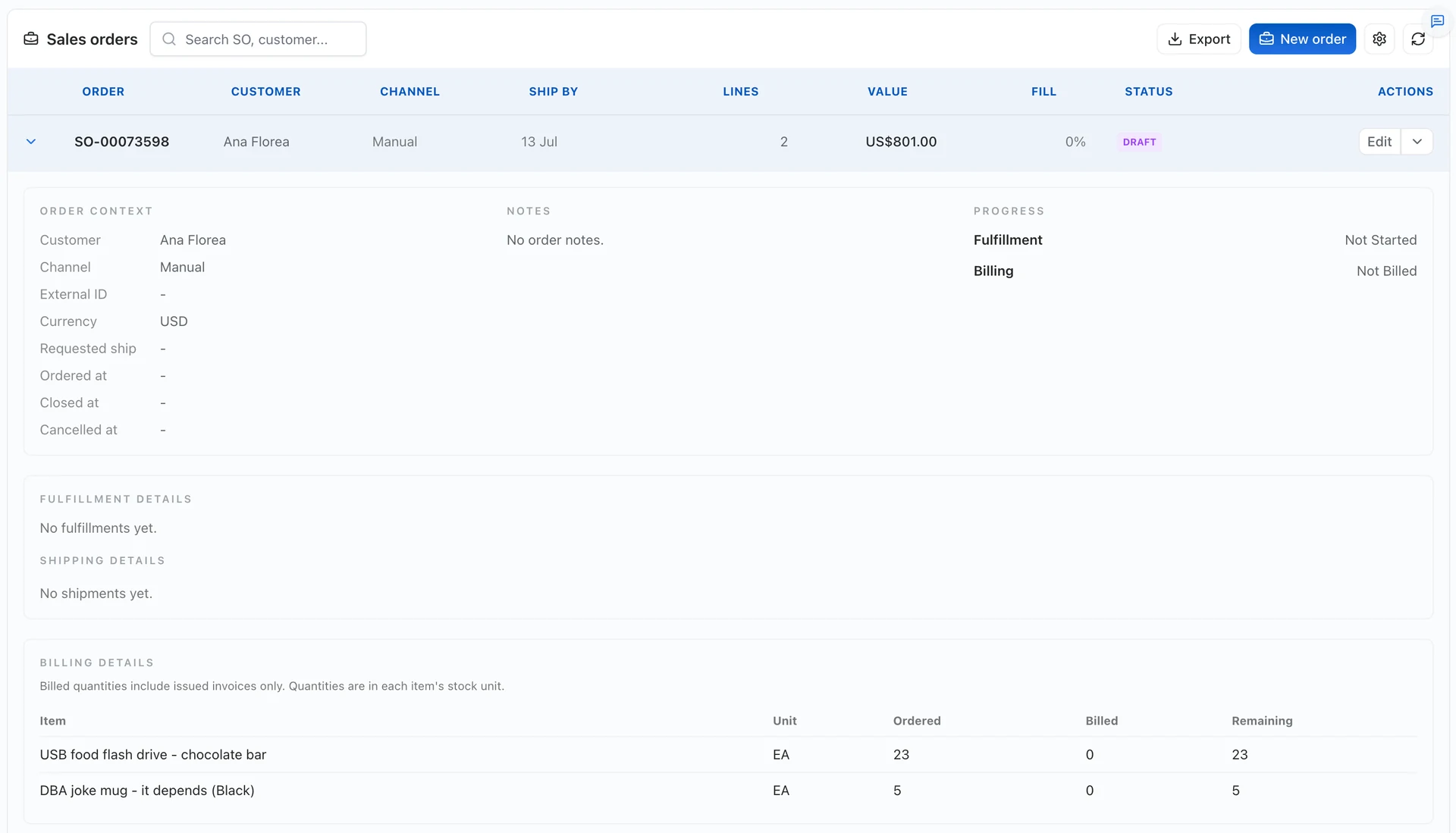
Open an order to see its customer, channel, line items, fulfillment progress and billing quantities. Your sales team can check what has happened without asking the warehouse or accounting team to piece together an update.
Bring your current order process
Sample orders and the fields each team needs to complete its work.
An agreed item master and mappings for customers, SKUs, variants, and prices.
Authorized API access or agreed exports, including enough order history.
A named reviewer, exception rules, and a test of what happens when data is missing.
Start with one workflow. Confirm the records, review the output, and agree permissions before enabling actions that change inventory, send messages, or create purchase orders.
Bring one repetitive order or purchasing workflow to a demo. We will review the inputs, show the relevant product flow, and identify what needs configuration.
Book a demoFrequently asked questions
Do we need to replace our ERP to use Convexity?
Not necessarily. Convexity can be implemented alongside an existing ERP or accounting system. Decide which system owns each record and confirm the integration before choosing the scope. A full ERP replacement requires a separate review of your processes.
Will an AI agent place orders or email suppliers without review?
Do not assume unattended execution. Review and approval requirements, permissions, and any writeback or outbound email steps must be agreed and tested during implementation.
Can we connect Shopify, MarketTime, or QuickBooks?
Yes. We set up the required order and item connections for Shopify and MarketTime, and the accounting connection for QuickBooks Online. The records exchanged and update schedule depend on the system and your setup; a one-time import is different from ongoing synchronization.
Can we start with spreadsheets?
An agreed spreadsheet or CSV export can be a starting point for data mapping and import. Consistent SKU identifiers and field definitions are essential. An import does not by itself provide ongoing synchronization.
Start with your workflow
Bring one inventory, purchasing or order-management problem. We will map the required data, demonstrate the relevant workflow and identify what needs configuration or further validation.
Book a demo