Inventory Optimization
Plan what to buy, how much to order and when to replenish.
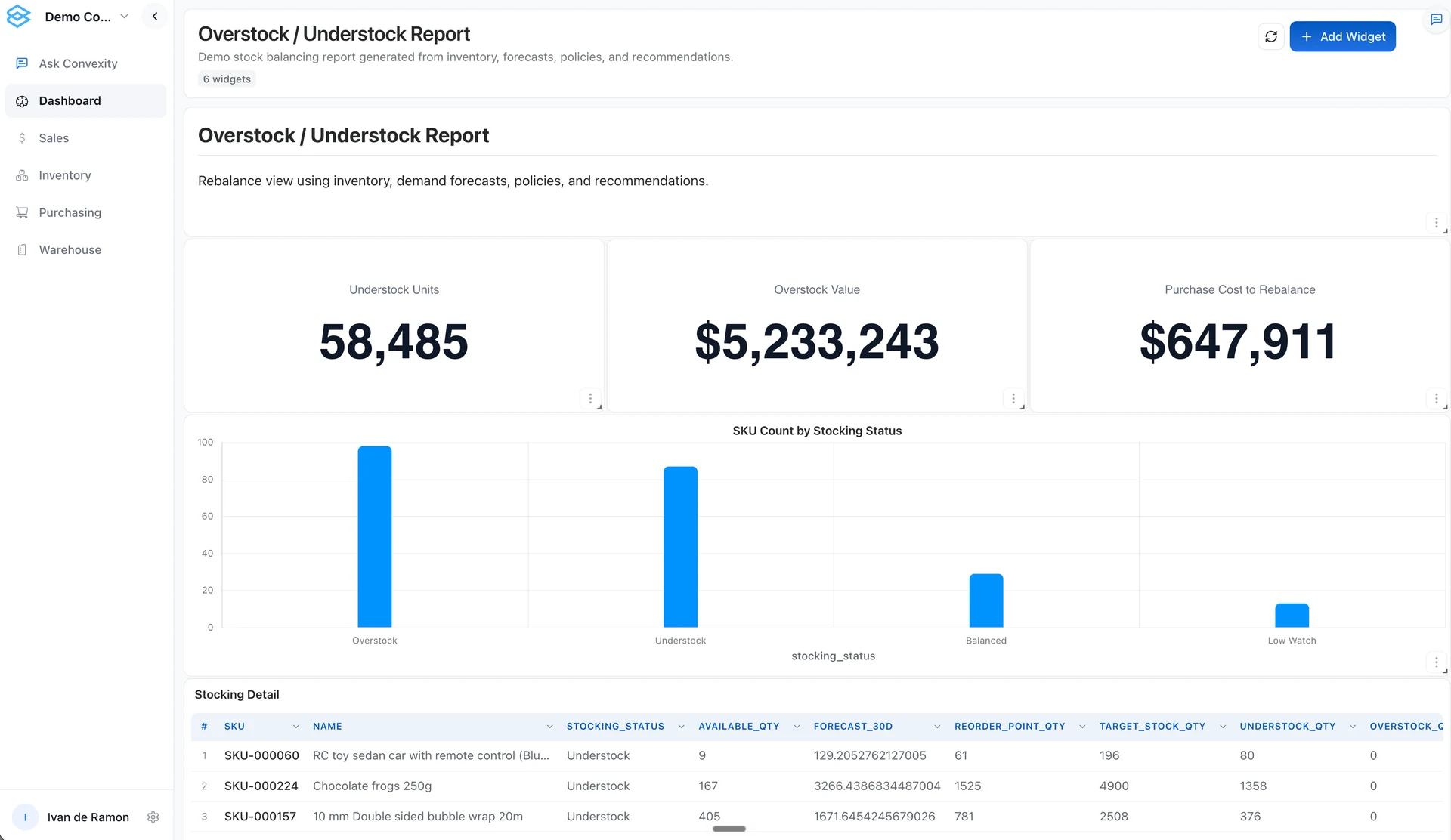
Convexity helps distributors and wholesalers plan inventory replenishment with SKU-level forecasts, stock targets, and purchasing recommendations.
Prioritize the next supplier order
A stock balance tells you what is on hand. It does not tell you whether the next purchase should go to a fast seller, a backordered item, or a supplier with a long lead time. Convexity combines inventory and demand planning to help purchasing teams review replenishment priorities.
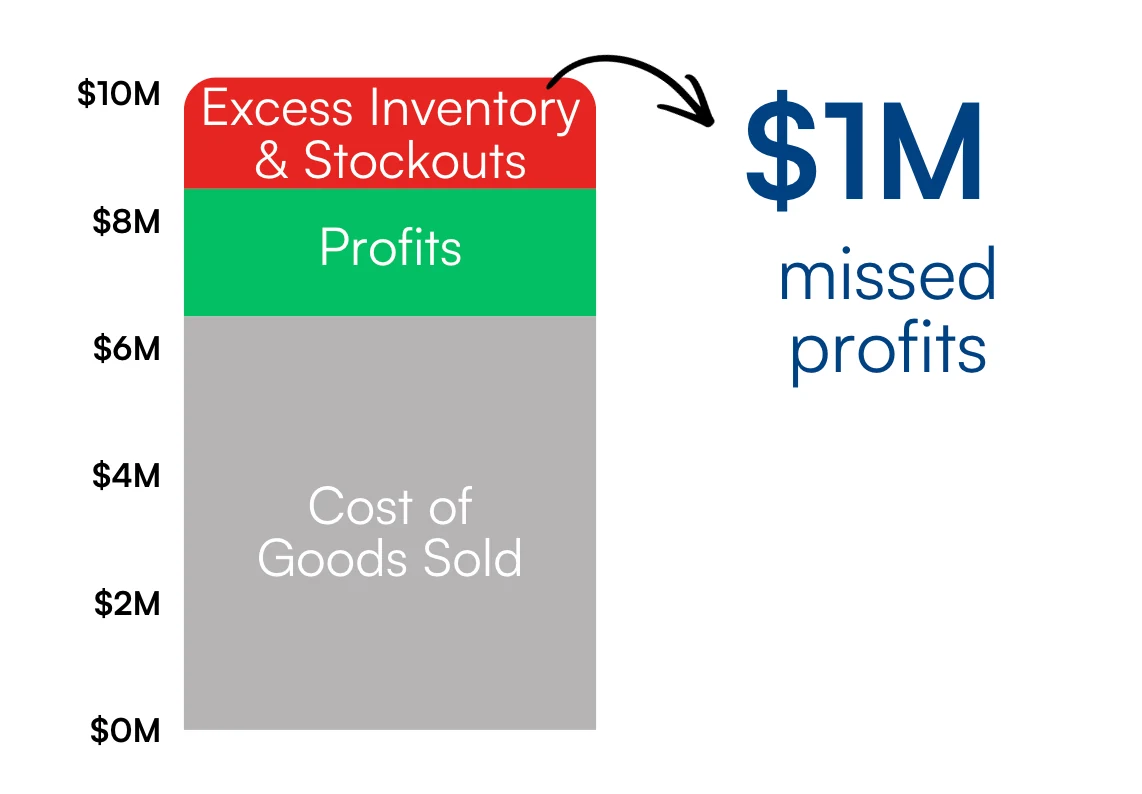
Too much stock and too little stock both have a cost
Excess inventory ties up cash and can lead to storage costs or markdowns. Stockouts can mean missed sales. Inventory optimization helps your team balance these trade-offs rather than solving every shortage by buying more of everything.
Inputs for a replenishment plan
Sales history and demand forecasts for each SKU.
On-hand, available, and reserved stock, plus incoming purchases where the source provides them.
Supplier lead times, minimum order quantities, and purchasing units.
Min/max levels, reorder points, safety-stock policies, and the service priorities agreed for your business.
Budget or supplier constraints to assess when defining the optimization model.
Definitions matter. On-hand stock is not always available to sell, and an open purchase order is not the same as received inventory. Map these fields and your customer-specific priority rules before acting on a recommendation.
From inventory data to a purchasing recommendation
Check stock and incoming purchases
Connect the relevant inventory, sales, and supplier records. Check stock definitions, units, open orders, and the most recent successful refresh.
Review stock targets and suggested buys
Use forecast demand and configured purchasing rules to review suggested stock levels and order quantities. Investigate the items that need attention before placing an order.
Create drafts automatically, then review the buy
Enable automatic draft creation to prepare purchase orders from recommendations. Your buyer can review quantities, supplier details and exceptions before approval. Draft creation does not itself send a supplier order or write it into another ERP.
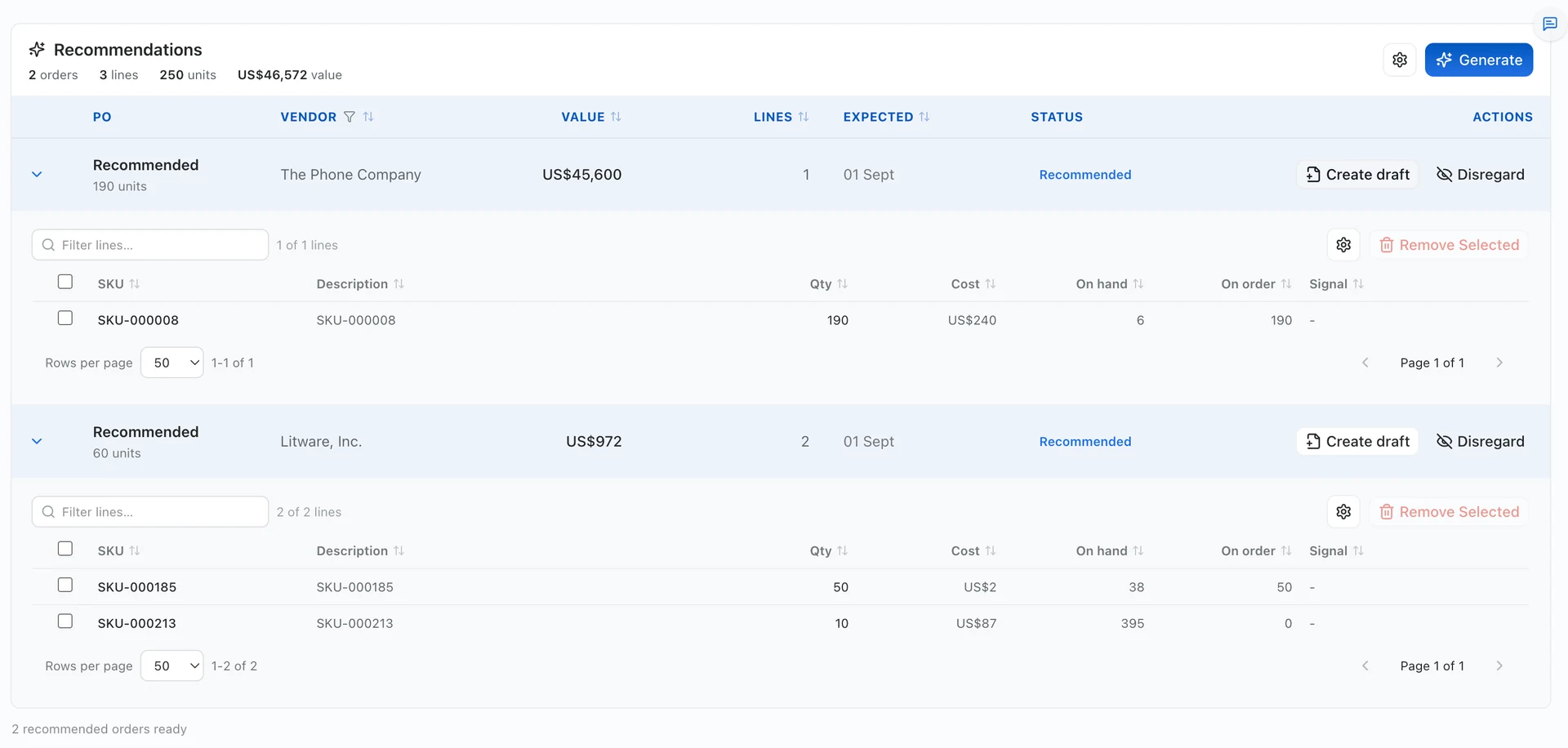
Example: a distributor prioritizing a vendor order
A low stock balance does not always mean you need another purchase. Check whether an existing order will arrive in time, then compare the remaining shortage with supplier minimums and pack sizes. Use that information to adjust the recommended buy.
Check the recommendation before placing the order
Check whether incoming stock will arrive before the expected shortage.
Compare the suggested quantity with vendor minimums and purchasing pack sizes.
Identify the demand, lead-time or stock assumption behind an unusually large buy.
Record the buyer’s decision and confirm how the approved order enters the purchasing workflow.
What your team gets to work with
Item-level stock targets and purchasing recommendations.
Sales and inventory context for reviewing suggested quantities.
A purchasing workspace and Ask Convexity for investigating the underlying data.
Draft purchase orders your buyer can review and adjust.
Begin with recommendations your buyers can validate. Treat ERP writeback and unattended purchasing as separate decisions, not automatic consequences of connecting your data.
Bring a recent supplier order. See how Convexity recommends quantities and prepares the next purchase.
Book a demoFrequently asked questions
How is inventory optimization different from inventory management?
Inventory management records stock and movements. Inventory optimization helps decide how much stock to hold and when to replenish, using demand, supply, and buying constraints. Convexity connects planning with the operational records used in purchasing.
Can Convexity work with our current ERP?
An alongside-ERP implementation is possible, subject to access and field coverage. Confirm your ERP edition, API or export options, refresh schedule, and writeback requirements. A connection for reading data does not imply support for every ERP action.
Can purchasing recommendations account for supplier minimums and lead times?
These are inputs to the purchasing workflow. Confirm how your lead times, minimum order quantities, units, and vendor rules are represented in the data and supported in the agreed model.
Will it automatically send purchase orders to our ERP?
Only where that action is included and validated in your implementation. Review the proposed order and agree permissions and approval steps. Some integrations support data import before purchase-order writeback is ready.
Start with your workflow
Bring one inventory, purchasing or order-management problem. We will map the required data, demonstrate the relevant workflow and identify what needs configuration or further validation.
Book a demo